Service

Designing Workspace Focus Zones

Zone-based organization divides your workspace into dedicated areas for different types of activity — reducing environmental switching, keeping surfaces clear, and making it easier to settle into different kinds of work.

What Are Focus Zones?

A focus zone is a defined area of your workspace assigned to a specific category of activity. Rather than treating the desk as a single general-purpose surface, zone-based design separates activities so each has its own clear space.

This approach reduces the mental overhead of switching between tasks, keeps materials associated with one activity from drifting into another area, and makes the overall environment feel more structured and easier to navigate.

"A well-defined zone tells you, at a glance, what belongs there and what doesn't — making maintenance intuitive rather than effortful."

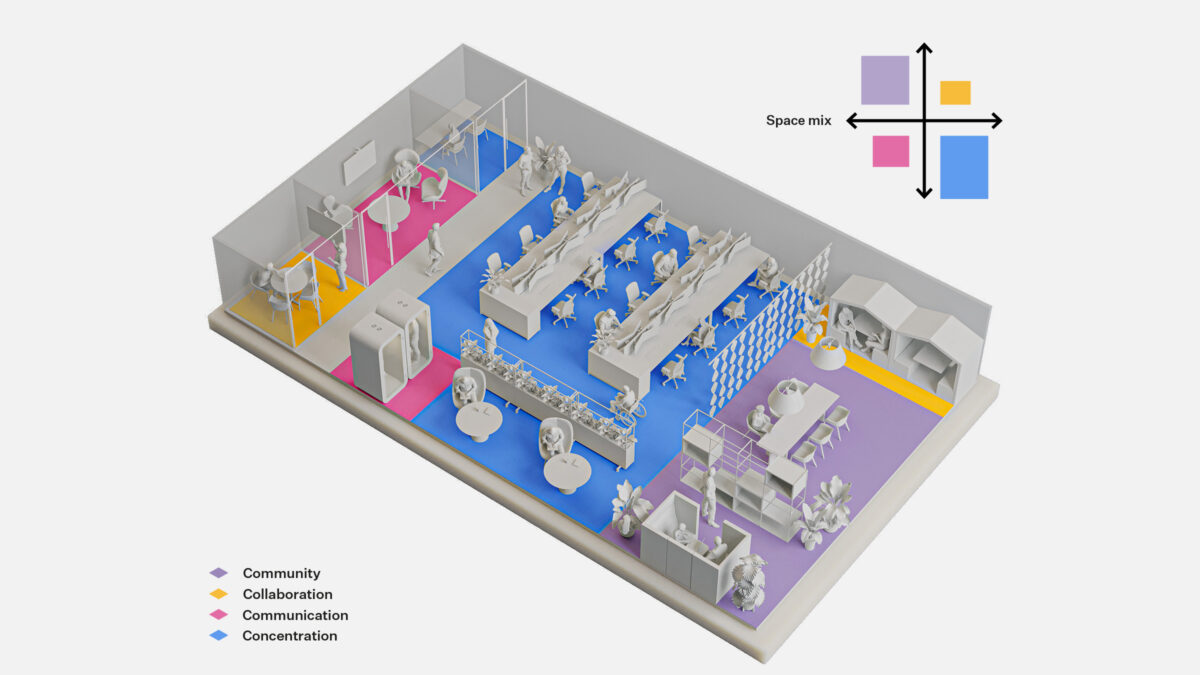
Workspace focus zone layout diagram showing primary, reference, storage, and personal zones as color-coded areas in a structured floor plan

The Four Core Workspace Zones

Most workspaces benefit from a combination of these four zones. The exact arrangement depends on your space dimensions, the nature of your work, and personal preference.

Zone 01

Primary Focus Zone

The central area of the workspace — typically where the monitor or main work surface sits. This zone is kept clear of everything that isn't directly needed for the current task. It is the most important surface to keep uncluttered.

Zone 02

Reference Zone

An area designated for items you consult regularly but don't need in your immediate field of work — notebooks, frequently referenced documents, secondary tools. Typically positioned within arm's reach but outside the primary zone.

Zone 03

Storage Zone

Drawers, shelves, or dedicated surfaces for items used less frequently — supplies, archival materials, equipment that serves a specific purpose but isn't part of daily work. This zone keeps the rest of the workspace clear.

Zone 04

Personal Zone

A small, defined area for personal items — a plant, a photograph, a preferred beverage. Rather than scattering personal objects across the workspace, containing them to a single zone keeps the rest of the environment visually calm.

Setting Up Your Zones

Zone design begins with observation rather than immediate rearrangement. Before moving anything, it helps to understand how the space is currently being used.

Observe Before Arranging

Spend a few days noting where you naturally reach for different items. This reveals the organic zones that already exist in your behavior — and where they could be made more explicit.

Define Boundaries Lightly

Zones don't need physical barriers. A change in desk organizer type, a slight shift in angle, or a simple spatial gap between areas is often enough to establish a clear boundary.

Keep the Primary Zone Minimal

The most common mistake is allowing the primary focus zone to gradually fill with reference and personal items. Everything that doesn't directly serve the current task should live elsewhere.

Reset at the End of Each Day

A brief daily reset — returning items to their designated zones — prevents gradual drift. This takes very little time when zones are clearly defined and nearby.

Adjust as You Work

Zones should evolve with how your work changes. If you notice yourself consistently reaching across zones for the same item, that item probably belongs in a different zone.

Next Steps

Bring Zone Structure to Your Workspace

Get in touch to discuss how zone-based organization could work within your specific environment and constraints.

Get in Touch View Workspace Audit